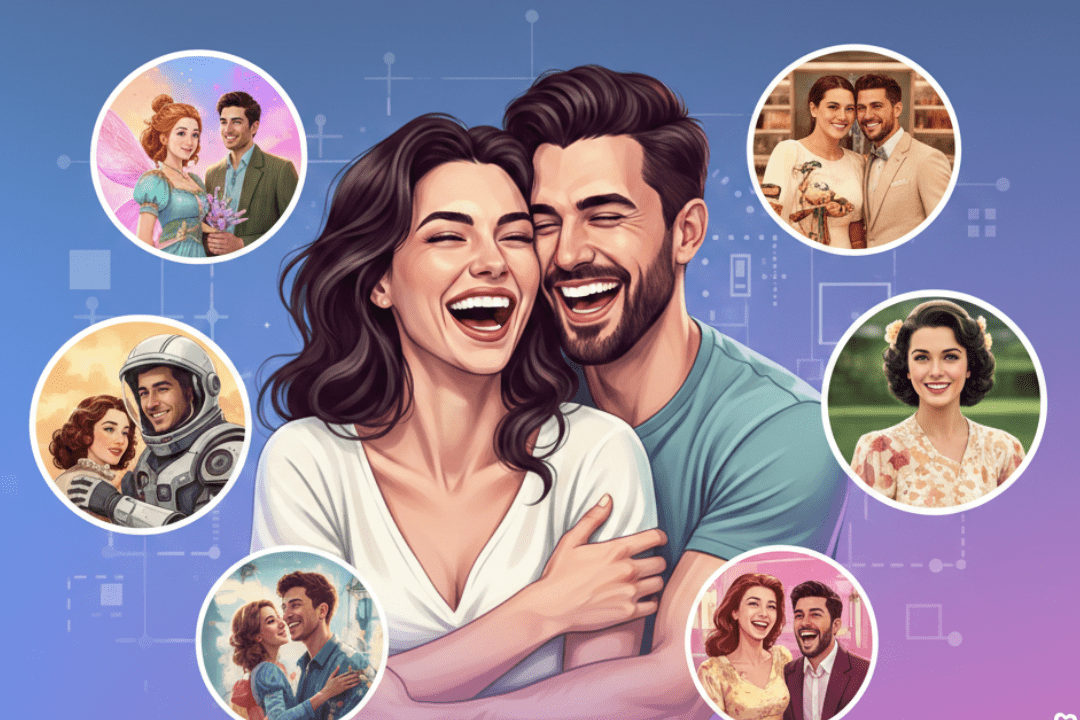
In the age of social media, capturing the essence of your love story in a single frame can skyrocket your Instagram engagement. Enter Hunyuan Image 3.0, Tencent’s cutting-edge open-source AI model that’s revolutionizing photo editing and generation. With its 80-billion-parameter architecture, advanced Mixture of Experts (MoE) technology, and superior text rendering, Hunyuan Image 3.0 excels at transforming ordinary couple photos into stunning, viral-worthy portraits. Whether you’re editing existing snapshots or generating new ones from prompts, this tool delivers high-fidelity results with bilingual support, precise composition, and creative editing features like object removal, style transfer, and multi-image fusion.
This SEO-optimized guide features 15 expertly crafted prompts tailored for Hunyuan Image 3.0’s image-to-image (I2I) mode. These prompts draw inspiration from trending Instagram aesthetics, such as golden-hour glows, cinematic effects, and cultural celebrations, to help you create portraits that rack up likes and shares. Simply upload your couple photo to a Hunyuan-compatible platform (like Hy Image or OpenArt), input the prompt, and watch your love story come alive in ultra-realistic detail.
Why Use Hunyuan Image 3.0 for Couple Photo Editing?
Hunyuan Image 3.0 stands out for its native multimodal capabilities, allowing seamless integration of text instructions with image inputs. Unlike traditional editors like Photoshop, it handles complex edits—like adding ethereal elements or changing backgrounds—effortlessly via natural language prompts. Benchmarks show it outperforms competitors in prompt adherence, aesthetics, and artifact-free outputs, making it ideal for creating Instagram-viral content. Plus, it’s free and open-source, with no watermarks, empowering couples to craft personalized, professional-grade portraits without expensive software.
How to Get Started with These Prompts
- Access Hunyuan Image 3.0: Use platforms like GitHub’s Transformers library, EaseMate AI, or CharGen for online generation.
- Upload Your Photo: For I2I editing, provide a base couple image.
- Customize the Prompt: Replace placeholders (e.g., [couple description]) with specifics like “young Indian couple in traditional attire.”
- Generate and Refine: Experiment with parameters like resolution (e.g., 1024×1024) and strength (0.5-0.8 for subtle edits).
- Optimize for Instagram: Crop to square, add hashtags like #AICouplePortraits #HunyuanAI, and post during peak hours.
Now, let’s dive into the 15 prompts. Each includes a description, the full prompt, and tips for virality.
1. Sunset Beach Romance
Capture the golden-hour magic of a beach stroll for a serene, shareable vibe that’s perfect for anniversary posts.
Prompt: “Edit the uploaded couple photo to show them walking hand-in-hand on a tropical beach at sunset, warm orange hues, gentle waves lapping at feet, realistic photo style, high detail, soft bokeh background, ultra HD.”
Viral Tip: Pair with a caption like “Our forever sunset 🌅 #CoupleGoals.”
2. Cozy Cabin Embrace
Transform your photo into a warm, intimate scene evoking hygge vibes, ideal for winter feeds.
Prompt: “Transform the couple in the image into a cozy embrace inside a wooden cabin, fireplace glow, soft blankets, realistic lighting, intimate atmosphere, 4K resolution, natural skin tones.”
Viral Tip: Use for holiday cards or stories with #WinterRomance.
3. Holi Color Explosion
Infuse cultural flair with floating colors for a festive, eye-catching portrait that’s trending in Indian communities.
Prompt: “Edit the uploaded photo to depict the couple celebrating Holi, soft pink and yellow gulal floating in air, warm sunlight, shallow depth of field, cinematic portrait, ultra realistic, DSLR quality.”
Viral Tip: Time it for festivals; add #HoliLove for massive reach.
4. Cinematic Double Exposure
Blend your faces with nature for an artistic, dreamy effect that’s blowing up on creative feeds.
Prompt: “Apply double exposure effect to the couple photo, overlaying a misty forest landscape, ethereal blend, high contrast, romantic mood, photorealistic, 8K detail.”
Viral Tip: Share as reels with slow-motion music; #DoubleExposureArt.
5. Retro Bollywood Charm
Give a vintage Bollywood twist with sarees and dramatic poses for nostalgic, culturally resonant virality.
Prompt: “Restyle the couple in the image as a retro Bollywood pair, woman in flowing saree, man in kurta, old wooden door background, soft lighting, vintage film grain, high fidelity.”
Viral Tip: Tag Bollywood stars; #RetroCouple.
6. Golden Hour Portrait
Enhance natural glow for a flattering, aspirational look that’s a staple in influencer portfolios.
Prompt: “Edit the couple portrait to golden hour lighting, soft warm tones, bokeh cityscape background, realistic skin enhancement, ultra HD, romantic gaze.”
Viral Tip: Post at dusk; #GoldenHourMagic.
7. Misty Forest Fantasy
Add mystery with fog and trees for a fairytale aesthetic that’s perfect for adventure-loving couples.
Prompt: “Transform the uploaded image into a misty forest scene, couple holding hands amid tall trees, soft fog, ethereal lighting, high detail, fantasy realism.”
Viral Tip: Use for engagement announcements; #ForestLove.
8. Neon City Night
Urban edge with glowing lights for a modern, vibrant portrait that pops on night-mode scrolls.
Prompt: “Edit the couple photo to a neon-lit city night, reflections on wet streets, vibrant blues and pinks, dramatic lighting, cyberpunk style, 4K.”
Viral Tip: Add city hashtags like #NYCNights.
9. Ethereal Silhouette
Backlit outlines against a sunset for a poetic, minimalist vibe that’s highly shareable.
Prompt: “Create an ethereal silhouette of the couple from the image, against a colorful sunset sky, high contrast, romantic pose, ultra realistic, no facial details.”
Viral Tip: Ideal for quotes overlays; #SilhouetteLove.
10. Polaroid Vintage Style
Nostalgic frame with faded edges for a fun, retro feel that’s trending in aesthetic accounts.
Prompt: “Convert the couple photo to polaroid style, vintage borders, slight fade, warm sepia tones, casual pose, high resolution scan effect.”
Viral Tip: Compile into collages; #PolaroidCouple.
11. Starry Night Dream
Overlay a cosmic sky for a magical, inspirational portrait that captures wanderlust.
Prompt: “Edit the image to show the couple under a starry night sky, Milky Way visible, soft glow, romantic embrace, photorealistic, 8K.”
Viral Tip: Pair with inspirational captions; #StarryNights.
12. Urban Rooftop Glow
City skyline backdrop for a sophisticated, metropolitan love story.
Prompt: “Transform the couple in the photo to a rooftop setting at dusk, city lights below, wind-swept hair, cinematic depth, ultra HD.”
Viral Tip: Geo-tag popular cities; #RooftopRomance.
13. Beach Wave Serenity
Waves crashing with a relaxed pose for a calming, beachy aesthetic.
Prompt: “Edit the uploaded couple image to them standing in shallow ocean waves, serene expression, blue tones, high detail, realistic water effects.”
Viral Tip: Summer posts; #BeachCouple.
14. Mountain Adventure
Rugged peaks for an empowering, outdoor-themed portrait.
Prompt: “Restyle the photo as the couple on a mountain peak, misty valleys below, adventurous pose, natural lighting, epic scale, 4K.”
Viral Tip: For travel bloggers; #MountainLove.
15. Cultural Festival Joy
Blend traditions with joy for a vibrant, inclusive viral hit.
Prompt: “Edit the couple to a cultural festival scene, colorful attire, joyful expressions, bokeh lights, high fidelity, celebratory mood.”
Viral Tip: Customize for events; #FestivalCouple.
Tips to Maximize Instagram Virality with Hunyuan Edits
- Images: Use alt text like “AI-generated couple portrait at sunset” when posting.
- Engagement Boost: Encourage comments with questions like “What’s your dream couple photo?”
- A/B Testing: Generate variations and see what performs best.
- Ethical Edits: Keep edits tasteful; avoid misleading alterations.
- Tools Integration: Combine with Instagram filters for final touches.
Hunyuan Image 3.0 empowers you to turn everyday moments into extraordinary narratives. Start experimenting with these prompts today, and watch your love story go viral. For more AI photo editing ideas, explore Tencent’s official resources or community forums.