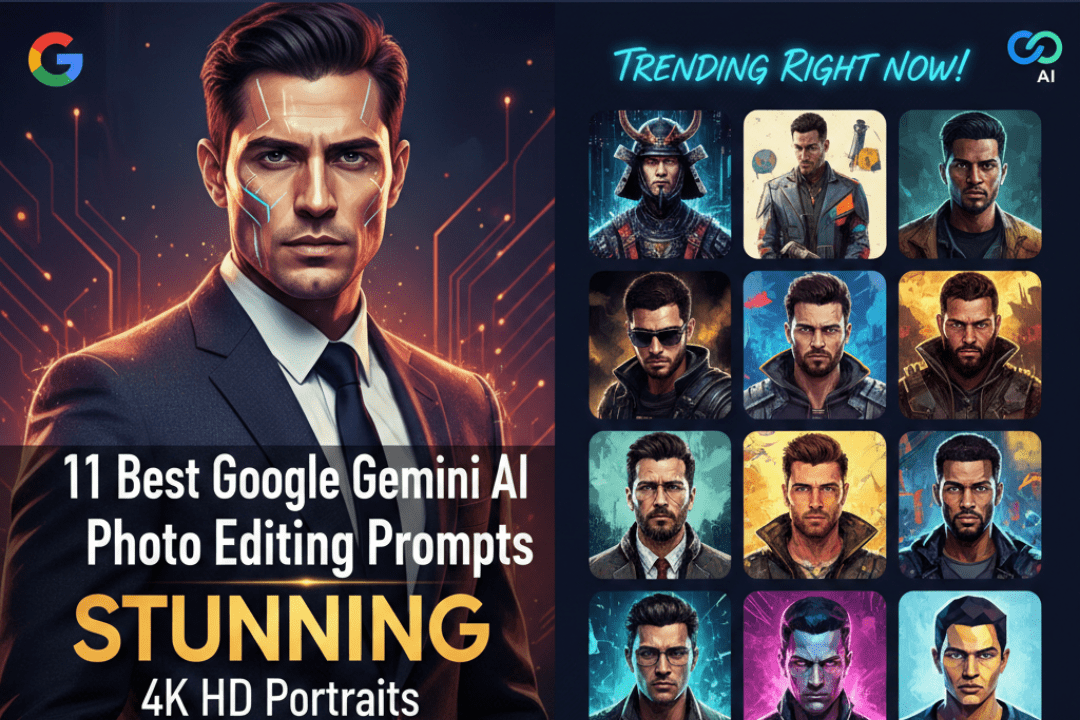
Discover the 11 best Google Gemini AI photo editing prompts for men to create stunning 4K HD portraits. These trending prompts will transform your photos into professional-quality masterpieces in seconds.
Are you tired of ordinary photos that fail to capture your best self? With Google Gemini AI photo editing prompts, men everywhere are now creating jaw-dropping, studio-quality 4K HD portraits — no professional photographer or expensive software required.
Google Gemini’s AI capabilities have completely transformed how we approach portrait photography. Whether you want a cinematic look, a sharp professional headshot, or a dramatic editorial-style image, the right prompt can make all the difference.
In this guide, we’re sharing the 11 best Google Gemini AI photo editing prompts for men that are trending right now — and showing you exactly how to use them to achieve stunning results.
Why Use Google Gemini AI for Men’s Portrait Editing?
Before diving into the prompts, it’s worth understanding why Gemini has become the go-to AI tool for portrait enhancement:
Google Gemini uses advanced large multimodal models that understand both text and image context. This means you can describe the exact look you want — lighting, skin tone, background, mood — and Gemini interprets those instructions with remarkable precision. For men specifically, Gemini handles features like facial structure, beard texture, skin detail, and masculine aesthetics particularly well when given the right prompts.
The result? Professional-grade portraits that look like they were taken in a high-end studio, rendered in crystal-clear 4K HD resolution.
How to Use These Prompts with Google Gemini
Using these prompts is straightforward. Simply open Google Gemini (available at gemini.google.com or via the Google app), upload your photo, and paste or type the prompt alongside your image. For best results, start with a well-lit, clear facial photo in good resolution.
Now, let’s get into the prompts.
11 Best Google Gemini AI Photo Editing Prompts for Men’s 4K HD Portraits
1. The Cinematic Dark Hero Prompt
Prompt: “Transform this portrait into a cinematic 4K HD image with dramatic Rembrandt lighting. Apply deep shadows on one side of the face, enhance the jawline definition, sharpen the eyes with a slight lens flare, and add a dark, moody background with subtle bokeh. Give the skin a natural matte finish with realistic pore texture.”
This prompt is perfect for men who want a bold, powerful look reminiscent of Hollywood movie posters. The Rembrandt lighting reference tells Gemini to use a classic triangle of light on one cheek, which adds tremendous depth and drama to any male portrait.
Best for: Professional profiles, social media, personal branding
2. The Executive Business Headshot Prompt
Prompt: “Edit this photo to look like a premium corporate headshot in 4K HD resolution. Apply soft, even studio lighting with a clean white or light grey background. Smooth skin tones naturally while preserving realistic texture, whiten teeth subtly, brighten eyes, and sharpen facial features. Ensure the overall look is polished, confident, and professional.”
First impressions matter. This prompt creates the kind of executive-level headshot that commands respect on LinkedIn, company websites, and business cards. The key is the balance between natural skin texture and polished presentation.
Best for: LinkedIn profiles, business cards, company websites
3. The Golden Hour Outdoor Portrait Prompt
Prompt: “Enhance this outdoor male portrait to replicate a golden hour sunset effect in 4K HD. Add warm amber and orange tones to the lighting, create a soft lens flare from the upper corner, blur the background into a creamy bokeh, lift shadow details on the face, and increase color vibrancy while keeping skin tones natural and warm.”
The golden hour look is one of the most universally flattering lighting styles for men. This prompt brings that magical late-afternoon glow to any photo, even if it was originally taken under flat or unflattering light.
Best for: Dating profiles, personal Instagram, travel portraits
4. The Urban Street Style Editorial Prompt
Prompt: “Convert this photo into a high-fashion street style editorial portrait at 4K HD quality. Apply high-contrast black and white tones with deep blacks and crisp whites. Sharpen clothing textures and facial features. Add a gritty urban background with subtle motion blur. Style the overall image to look like a spread from a men’s fashion magazine.”
Black and white editorial photography has a timeless sophistication. This prompt taps into that legacy and creates images that look like they belong in GQ or Esquire. The gritty urban backdrop adds authenticity.
Best for: Fashion portfolios, editorial content, creative profiles
5. The Fitness and Athlete Portrait Prompt
Prompt: “Enhance this fitness portrait to emphasize muscle definition and athleticism in 4K HD resolution. Increase skin contrast slightly to highlight muscle tone, apply dramatic side lighting, add a subtle sweat sheen effect on skin, sharpen the overall image for maximum clarity, and use a dark gym or outdoor background with atmospheric fog or light rays.”
For gym enthusiasts and athletes, this prompt is a game-changer. It enhances muscle definition and creates that powerful, motivational aesthetic you see on fitness brand profiles and sports campaigns.
Best for: Fitness profiles, athlete branding, gym social media
6. The Classic Black and White Timeless Portrait Prompt
Prompt: “Transform this portrait into a timeless black and white fine art photograph in 4K HD quality. Soften the overall tones while keeping sharp detail in the eyes and facial structure. Apply a slight film grain for authenticity, create soft gradient shading in the background, and ensure the final image has the elegant, editorial quality of a classic studio portrait from the golden era of photography.”
Some looks never go out of style. This prompt channels the elegance of mid-century portrait photography — think Frank Sinatra, James Dean, and Cary Grant. The film grain detail makes it feel authentic rather than digitally generated.
Best for: Artistic projects, timeless profile photos, printed portraits
7. The Rugged Outdoor Explorer Prompt
Prompt: “Edit this male portrait to create a rugged outdoor adventurer aesthetic in 4K HD. Enhance natural skin tones with a slight sun-kissed warmth, add depth to beard and hair texture, apply overcast natural lighting that highlights character lines, place the subject against a dramatic mountain, forest, or wilderness background, and give the overall image a raw, authentic outdoor magazine feel.”
This prompt is tailor-made for the adventurous man. It celebrates rugged, natural masculinity with rich textures and outdoor environments that tell a story of exploration and strength.
Best for: Outdoor brands, adventure profiles, lifestyle photography
8. The Luxury Lifestyle Portrait Prompt
Prompt: “Enhance this portrait to reflect a high-end luxury lifestyle aesthetic in 4K HD resolution. Apply elegant, soft directional lighting, refine skin tone to a smooth sophisticated finish, place the subject in or near a luxurious background such as a penthouse, sports car, or elegant interior. Increase overall image richness with deep, saturated colors and a subtle cinematic color grade in warm gold and teal tones.”
Luxury aesthetics are highly engaging on social media and work exceptionally well for personal branding. This prompt gives your photo the look of a high-net-worth lifestyle campaign.
Best for: Personal branding, social media influencer content, luxury brand alignment
9. The Moody Blue-Tone Night Portrait Prompt
Prompt: “Transform this portrait into a moody night-time image with blue and teal toning in 4K HD quality. Apply cool-toned, neon-accented lighting as if the subject is standing outside a city at night. Add light rain or glowing bokeh elements in the background, deepen shadows for a mysterious atmosphere, and enhance eye reflections with subtle light points for depth and intensity.”
The cool-toned night portrait aesthetic has exploded on social platforms. It’s mysterious, cinematic, and deeply appealing. This prompt perfectly captures that rain-soaked city night atmosphere.
Best for: Creative social media, music artists, moody personal branding
10. The High-Key Clean Model Headshot Prompt
Prompt: “Edit this photo into a professional male model headshot in 4K HD with high-key lighting. Apply bright, even white light that eliminates harsh shadows, refine skin tone for a clean polished look while maintaining natural texture, sharpen eyes and eyebrows for definition, brighten the background to near-white, and ensure the overall result looks like a premium modeling agency composite card.”
Clean, bright, and polished — this headshot style is the standard for modeling portfolios and acting headshots. Gemini handles the skin refinement with impressive nuance when prompted this specifically.
Best for: Modeling portfolios, acting headshots, talent agency submissions
11. The Vintage Film Portrait Prompt
Prompt: “Apply a vintage 1970s film portrait effect to this photo in 4K HD quality. Add warm, slightly faded color tones reminiscent of Kodak film stock, apply a light vignette around the edges, introduce subtle film grain and slight chromatic aberration, soften highlights while preserving rich shadow detail, and give the overall image the nostalgic, authentic warmth of an analog film photograph.”
Vintage aesthetics never stop trending. This prompt creates the warm, nostalgic quality of old-school film photography while maintaining 4K sharpness — the best of both worlds.
Best for: Nostalgia-themed content, personal projects, retro-aesthetic social media
Pro Tips for Getting the Best Results with Gemini AI Portrait Prompts
Getting great outputs comes down to a few key practices:
Start with a good source photo. Gemini can enhance a lot, but it works best with a clear, reasonably well-lit base image. Good starting quality leads to exceptional output quality.
Be specific about resolution. Always include “4K HD” in your prompt to signal that you want maximum image quality and clarity in the output.
Layer your instructions. The prompts above work because they address multiple elements — lighting, skin, background, and mood — all in one prompt. Vague prompts produce generic results.
Experiment with combinations. Don’t be afraid to mix elements from multiple prompts. For example, combine the golden hour warmth from Prompt 3 with the sharpened facial features of Prompt 2 for a unique professional-lifestyle hybrid.
Iterate. If the first result isn’t quite right, adjust one or two descriptive words and try again. AI image editing is a conversation — keep refining until you hit the look you want.
Final Thoughts: Elevate Your Portrait Photography with Google Gemini AI
Google Gemini AI has made it easier than ever for men to take control of how they present themselves visually — whether for professional purposes, social media, or personal projects. These 11 trending Gemini AI photo editing prompts cover the full spectrum of masculine portrait aesthetics, from dark and cinematic to clean and polished.
The best part? You don’t need any design skills, expensive software, or a professional photographer. Just a great prompt and your existing photos.
Start experimenting with these prompts today and watch your portraits transform into stunning 4K HD masterpieces that capture exactly who you are — and exactly who you want the world to see.